Devices and Tech
Cover photo by https://unsplash.com/@we_are_rising
- Samsung Galaxy S3 Tab
- NeoVim
- Online Reading and Feeds
- Firefox on Ubuntu 22.04 Non Snap
- Hugo Static Site Generation
- Zellij
- Dell XPS 13 9305
- LaTeX
- Delonghi Dedica
- XTEInk4
- Ravpower Filehub RP-WD009
- Samsung Chromebook XE303C12
- ASUS ROG Zephyrus
Samsung Galaxy S3 Tab
Galaxy Tab S3 is a 10 inch (9.7") tablet released in 2017.
Installing TWRP
- To install TWRP on the device it's best to use this chap's release and install via Heimdall:
apt-get install heimdall-flash- Once you have the files ready to go, put the tablet into download mode with Power + Vol Down + Home (hold for 10 seconds).
-
heimdall flash --RECOVERY ./Downloads/twrp-3.6.0_9-0-gts3lwifi.img --no-reboot - It's important to now reboot straight into recovery so that the old recovery partition is not recovered - Power + Vol Up + Home
- Swipe to install TWRP
LineageOS
- Use LineageOS 19 this release is most stable
- Using NikGApps 12.1 (SL)
- From TWRP install the zip files.
NeoVim
NeoVim is a new super configurable version of the VIM editor.
I've been learning to configure and customise it for my own use. I used the following tutorials:
I also really like these plugins:
Powerline
Lualine adds a status bar at the bottom of VIM that shows you what's going on - its pretty neat. You need to install powerline fonts on the system. On Debian-based systems you can run apt-get install fonts-powerline
- https://github.com/nvim-lualine/lualine.nvim (you also need powerline fonts for this)
Online Reading and Feeds
RSS
I use FreshRSS to manage my feeds for me and the associated Android client for on the go. On the desktop I use NewsFlash reader which can also subscribe to FreshRSS
Read it Later App
I use Wallabag to store articles I want to read later and the accompanying android app for on the go. I use Read it Later for Wallabag stuff on desktop and the Firefox plugin for quickly adding things to my to read list.
Firefox on Ubuntu 22.04 Non Snap
In the latest Ubuntu they made Firefox a snap instead of just installing via deb. This walkthru tells you how to undo it.
In summary:
sudo snap remove firefox

sudo add-apt-repository ppa:mozillateam/ppa

echo '
Package: *
Pin: release o=LP-PPA-mozillateam
Pin-Priority: 1001
' | sudo tee /etc/apt/preferences.d/mozilla-firefox

echo 'Unattended-Upgrade::Allowed-Origins:: "LP-PPA-mozillateam:${distro_codename}";' | sudo tee /etc/apt/apt.conf.d/51unattended-upgrades-firefox

sudo apt install firefox
Hugo Static Site Generation
I use Hugo to maintain most of my websites.
Extended Edition
Hugo has an extended version which includes hooks for building SASS. Hugo recommend using snaps to manage and install versions of their tool rather than relying on debian packages since these can often be out of date.
Zellij
- Zellij is a Golang terminal workspace + multiplexer - its a bit like tmux on steroids
- Featured in charm interview https://www.youtube.com/watch?v=mnp9LCUdtJw
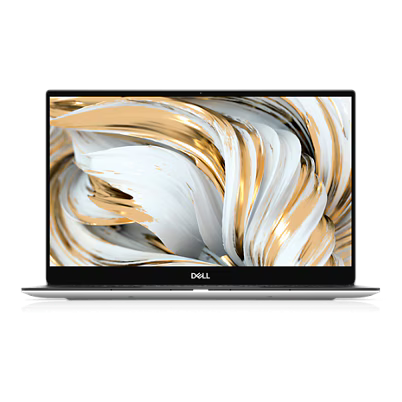
Dell XPS 13 9305
I had one as my daily driver at work from late 2020 to late 2023. I was so pleased with it I bought one for home/personal use too. Dell no longer make this laptop.
Managing and Limiting Battery
I used dell-charge-limit to automatically stop charging at 80% and preserve battery life
LaTeX
LaTeX is a powerful typesetting system that renders books and has specific markup for mathematics
Angle Brackets (Greater Than, Less Than) show as upside down question and exclaimation marks
This is an issue when <> render incorrectly, it can look very weird.
Check your encoding
According to this post (mirror), it could be as simple as not using the correct encoding and can be remedied with the correct package being included in the document:
\usepackage[T1]{fontenc}Delonghi Dedica
I've had my trusty dedica machine for over 11 years. It has taken a battering over the years but I still enjoy using it.
XTEInk4
The XTEInk4 is a budget e-ink ebook reader that is smaller and thinner than a modern smartphone.
Crosspoint Reader
On Github
This is a community-provided open source reader firmware for the XTEink4 that can be flashed via the web flasher.
Ravpower Filehub RP-WD009
Installing OpenWRT
You can install OpenWRT on Ravpower Filehub - instructions can be found on the OpenWRT Wiki here and archived here
Samsung Chromebook XE303C12
First generation chromebook from Samsung in 2012.
- Cannot boot from the USB 3.0 port (blue) - USB boot is only available from the 2.0 port.
- Press CTRL + U to boot from USB or CTRL + D to boot from internal disk
- low beep indicates that the machine cannot find a bootable image on the USB drive
- Check that you have run
sudo crossystem dev_boot_usb=1 dev_boot_signed_only=0- the signed image flag is important and making sure it is low (set to 0) is key.
After a Flat Battery
The crossystem values go back to default so you have to redo the steps above to enable dev boot and disabled signed boot.
ArchLinux ARM
LinARM Images
see Linarm