# Devices and Tech
Cover photo by [https://unsplash.com/@we\_are\_rising](https://unsplash.com/@we_are_rising)
# Samsung Galaxy S3 Tab
Galaxy Tab S3 is a 10 inch (9.7") tablet released in 2017.
## Installing TWRP
1. To install TWRP on the device it's best to use [this chap's release](https://forum.xda-developers.com/t/recovery-unofficial-sm-t820-sm-t825-2021-11-30-twrp-3-6-0_9-0-for-galaxy-tab-s3.4303163/) and install via Heimdall:
2. `apt-get install heimdall-flash`
3. Once you have the files ready to go, put the tablet into download mode with Power + Vol Down + Home (hold for 10 seconds).
4. ```bash
heimdall flash --RECOVERY ./Downloads/twrp-3.6.0_9-0-gts3lwifi.img --no-reboot
```
5. It's important to now reboot straight into recovery so that the old recovery partition is not recovered - Power + Vol Up + Home
6. Swipe to install TWRP
## LineageOS
- Use LineageOS 19 [this release](https://forum.xda-developers.com/t/rom-unofficial-12l-eas-sm-t820-sm-t825-2022-07-15-lineageos-19-1-for-galaxy-tab-s3.4418855/) is most stable
- Using [NikGApps](https://nikgapps.com/downloads#downloads) 12.1 (SL)
- From TWRP install the zip files.
# NeoVim
NeoVim is a new super configurable version of the VIM editor.
I've been learning to configure and customise it for my own use. I used the following tutorials:
- [https://scribe.citizen4.eu/geekculture/neovim-configuration-for-beginners-b2116dbbde84](https://scribe.citizen4.eu/geekculture/neovim-configuration-for-beginners-b2116dbbde84)
I also really like these plugins:
#### Powerline
Lualine adds a status bar at the bottom of VIM that shows you what's going on - its pretty neat. You need to install [powerline fonts](https://github.com/powerline/fonts) on the system. On Debian-based systems you can run `apt-get install fonts-powerline`
- [https://github.com/nvim-lualine/lualine.nvim](https://github.com/nvim-lualine/lualine.nvim) (you also need[ powerline fonts ](https://github.com/powerline/fonts)for this)
# Online Reading and Feeds
### RSS
I use [FreshRSS](https://www.freshrss.org/) to manage my feeds for me and the associated Android client for on the go. On the desktop I use [NewsFlash](https://apps.gnome.org/app/com.gitlab.newsflash/) reader which can also subscribe to FreshRSS
### Read it Later App
I use Wallabag to store articles I want to read later and the accompanying android app for on the go. I use[ Read it Later](https://gitlab.gnome.org/World/read-it-later) for Wallabag stuff on desktop and [the Firefox plugin](https://addons.mozilla.org/en-US/firefox/addon/wallabagger/) for quickly adding things to my to read list.
# Firefox on Ubuntu 22.04 Non Snap
In the latest Ubuntu they made Firefox a snap instead of just installing via deb. [This walkthru ](https://www.omgubuntu.co.uk/2022/04/how-to-install-firefox-deb-apt-ubuntu-22-04)tells you how to undo it.
In summary:
```shell
sudo snap remove firefox
sudo add-apt-repository ppa:mozillateam/ppa
echo '
Package: *
Pin: release o=LP-PPA-mozillateam
Pin-Priority: 1001
' | sudo tee /etc/apt/preferences.d/mozilla-firefox
echo 'Unattended-Upgrade::Allowed-Origins:: "LP-PPA-mozillateam:${distro_codename}";' | sudo tee /etc/apt/apt.conf.d/51unattended-upgrades-firefox
sudo apt install firefox
```
# Hugo Static Site Generation
I use Hugo to maintain most of my websites.
### Extended Edition
Hugo has an extended version which includes hooks for building SASS. [Hugo recommend using snaps to manage and install versions of their tool](https://gohugo.io/getting-started/installing/) rather than relying on debian packages since these can often be out of date.
# Zellij
- [Zellij](https://github.com/zellij-org/zellij) is a Golang terminal workspace + multiplexer - its a bit like tmux on steroids
- Featured in charm interview [https://www.youtube.com/watch?v=mnp9LCUdtJw](https://www.youtube.com/watch?v=mnp9LCUdtJw)
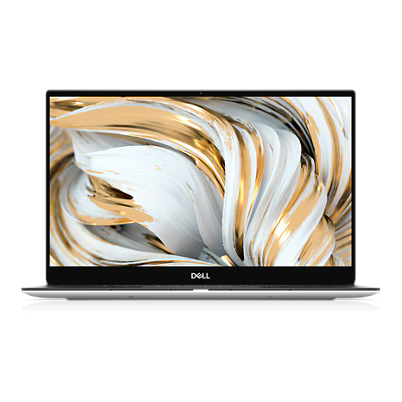
# Dell XPS 13 9305
I had one as my daily driver at work from late 2020 to late 2023. I was so pleased with it I bought one for home/personal use too. Dell [no longer make this laptop](https://www.dell.com/en-uk/shop/laptops/xps-13-laptop/spd/xps-13-9305-laptop).
[](https://wiki.jamesravey.me/uploads/images/gallery/2025-04/image.png)
###
### Managing and Limiting Battery
I used [dell-charge-limit](https://github.com/glynhudson/dell-charge-limit) to automatically stop charging at 80% and preserve battery life
# LaTeX
LaTeX is a powerful typesetting system that renders books and has specific markup for mathematics
# Angle Brackets (Greater Than, Less Than) show as upside down question and exclaimation marks
This is an issue when <> render incorrectly, it can look very weird.
### Check your encoding
According to [this post](https://imathworks.com/tex/tex-latex-beramono-and-texttt-angle-brackets-show-as-inverted-exclamation-mark-and-inverted-question-mark-symbols-upside-down-signs-like-in-spanish/) ([mirror](https://archive.jamesravey.me/archive/1673198086.459024/singlefile.html)), it could be as simple as not using the correct encoding and can be remedied with the correct package being included in the document:
```latex
\usepackage[T1]{fontenc}
```
# Delonghi Dedica
I've had my trusty dedica machine for over 11 years. It has taken a battering over the years but I still enjoy using it.
[Dedica EC680.M Manual.pdf](https://wiki.jamesravey.me/attachments/43)
# XTEInk4
The XTEInk4 is a budget e-ink ebook reader that is smaller and thinner than a modern smartphone.
### Crosspoint Reader
On [Github](https://github.com/crosspoint-reader/crosspoint-reader)
This is a community-provided open source reader firmware for the XTEink4 that can be flashed via the web flasher.
# Ravpower Filehub RP-WD009
[Manufacturer's Manual](https://wiki.jamesravey.me/attachments/44)
### Installing OpenWRT
You can install OpenWRT on Ravpower Filehub - instructions can be found [on the OpenWRT Wiki here](https://openwrt.org/toh/ravpower/rp-wd009) and [archived here](https://wiki.jamesravey.me/attachments/45)
# Samsung Chromebook XE303C12
## First generation chromebook from Samsung in 2012.
###
- Cannot boot from the USB 3.0 port (blue) - USB boot is only available from the 2.0 port.
- Press CTRL + U to boot from USB or CTRL + D to boot from internal disk
- low beep indicates that the machine cannot find a bootable image on the USB drive
- Check that you have run `sudo crossystem dev_boot_usb=1 dev_boot_signed_only=0` - the signed image flag is important and making sure it is low (set to 0) is key.
#### After a Flat Battery
The crossystem values go back to default so you have to redo the steps above to enable dev boot and disabled signed boot.
#### ArchLinux ARM
[See Samsung Chromebook ](https://archlinuxarm.org/platforms/armv7/samsung/samsung-chromebook)
#### LinARM Images
see [Linarm](https://gitlab.com/quarkscript/linarm)
# ASUS ROG Zephyrus