# Extracting Video Transcripts from MS Teams
Sometimes when you're using Teams you want to extract the full video auto-transcript so that you can summarize it or something but it's difficult or impossible to extract the full transcription unless the original author permits you to "Download" it.
Not a problem with this user-script for extracting video transcripts.
### Instructions
1. Install [TamperMonkey](https://www.tampermonkey.net/) in [Firefox](https://addons.mozilla.org/en-GB/firefox/addon/tampermonkey/) or [Chrome](https://chromewebstore.google.com/detail/tampermonkey/dhdgffkkebhmkfjojejmpbldmpobfkfo?hl=en)
2. Open the extension and click "create new script"
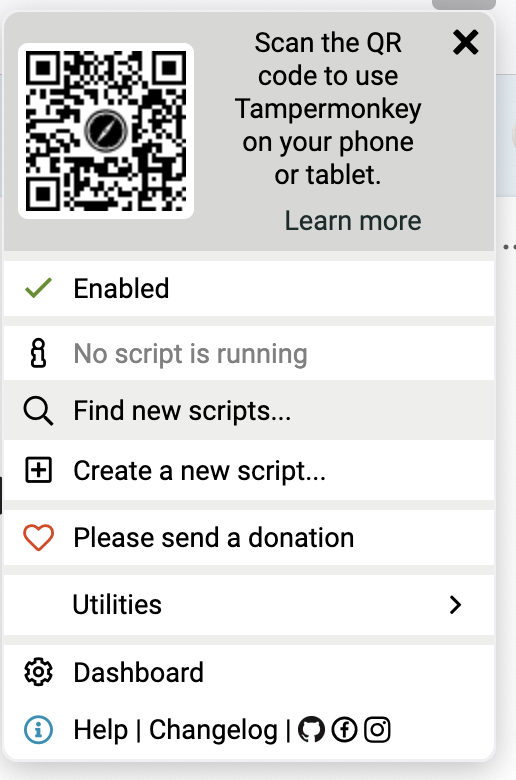
3. Paste the following Script into the editor and click Save
```Javascript
// ==UserScript==
// @name SharePoint Video Transcript Extractor
// @namespace http://tampermonkey.net/
// @version 1.0
// @description Extract transcript data from SharePoint video pages
// @author You
// @match *://*.sharepoint.com/*stream.aspx*
// @match *://*.sharepoint.com/*/stream.aspx*
// @match *://*.sharepoint.com/*/*/stream.aspx*
// @grant GM_setClipboard
// @run-at document-idle
// ==/UserScript==
(function() {
'use strict';
// Create a floating button to trigger the extraction
const extractButton = document.createElement('button');
extractButton.textContent = 'Extract Transcript';
extractButton.style.position = 'fixed';
extractButton.style.top = '10px';
extractButton.style.right = '10px';
extractButton.style.zIndex = '9999';
extractButton.style.padding = '10px';
extractButton.style.backgroundColor = '#0078d4';
extractButton.style.color = 'white';
extractButton.style.border = 'none';
extractButton.style.borderRadius = '4px';
extractButton.style.cursor = 'pointer';
document.body.appendChild(extractButton);
extractButton.addEventListener('click', extractTranscript);
async function extractTranscript() {
// Show extraction in progress
extractButton.textContent = 'Extracting...';
extractButton.disabled = true;
// Find the main list container
const listContainer = document.querySelector('.ms-List');
if (!listContainer) {
alert('Transcript list not found on this page.');
extractButton.textContent = 'Extract Transcript';
extractButton.disabled = false;
return;
}
// Store extracted transcript data
const transcriptData = [];
let processedIds = new Set(); // Track processed entries by ID to avoid duplicates
let noNewContentCounter = 0;
let lastCellCount = 0;
// Keep scrolling and extracting until no new content loads
while (noNewContentCounter < 3) { // Try a few times to ensure we've reached the end
// Extract current visible cells
const currentCells = Array.from(document.querySelectorAll('.ms-List-cell'));
if (currentCells.length === lastCellCount) {
noNewContentCounter++;
} else {
noNewContentCounter = 0;
lastCellCount = currentCells.length;
}
// Process all visible cells
for (const cell of currentCells) {
try {
// Get the list item ID to avoid duplicates
const listItemElement = cell.querySelector('[id^="listItem-"]');
if (!listItemElement) continue;
const itemId = listItemElement.id;
if (processedIds.has(itemId)) continue;
processedIds.add(itemId);
// Extract speaker name - look for the itemDisplayName element
let speakerElement = cell.querySelector('[class*="itemDisplayName"]');
let speaker = speakerElement ? speakerElement.textContent.trim() : '';
// If no speaker found, this might be a continuation from previous speaker
if (!speaker) {
// Try to get speaker from aria label
const ariaLabelElement = cell.querySelector('[id^="timestampSpeakerAriaLabel-"]');
if (ariaLabelElement) {
speaker = ariaLabelElement.textContent.trim().split(' ').slice(0, -3).join(' ');
}
}
if (!speaker) speaker = 'Unknown Speaker';
// Extract timestamp - look for timestamp element
let timestampElement = cell.querySelector('[id^="Header-timestamp-"]');
if (!timestampElement) {
// Try alternative timestamp element
timestampElement = cell.querySelector('[class*="baseTimestamp"] [aria-hidden="true"]');
}
const timestamp = timestampElement ? timestampElement.textContent.trim() : '';
// Extract text content - look for entry text element
const textElement = cell.querySelector('[class*="entryText"]');
const text = textElement ? textElement.textContent.trim() : '';
if (text && !text.includes('started transcription')) {
transcriptData.push({
speaker,
timestamp,
text
});
}
} catch (error) {
console.error('Error processing cell:', error);
}
}
// Scroll down to load more content
const lastCell = currentCells[currentCells.length - 1];
if (lastCell) {
lastCell.scrollIntoView({ behavior: 'smooth', block: 'end' });
// Wait for potential new content to load
await new Promise(resolve => setTimeout(resolve, 1500));
} else {
break;
}
}
// Format the data as text
let formattedText = '';
transcriptData.forEach(item => {
formattedText += `[${item.timestamp}] ${item.speaker}: ${item.text}\n\n`;
});
// Copy to clipboard
GM_setClipboard(formattedText);
// Notify user
extractButton.textContent = 'Copied to Clipboard!';
setTimeout(() => {
extractButton.textContent = 'Extract Transcript';
extractButton.disabled = false;
}, 3000);
// Also show a notification
alert(`Transcript extraction complete!\n${transcriptData.length} entries copied to clipboard.`);
}
})();
(function() {
'use strict';
// Your code here...
})();
```
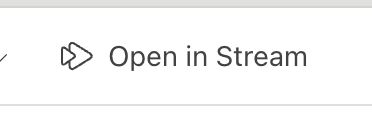
4. Open the video - if you are inside Teams, click the Open In stream button in the top right to open it in browser
5. With the script enabled, you should see an extra button that says "Extract Transcript", click on it.
7. When it is finished it will pop up and tell you how many lines of dialogue it grabbed. It puts everything in your clipboard.
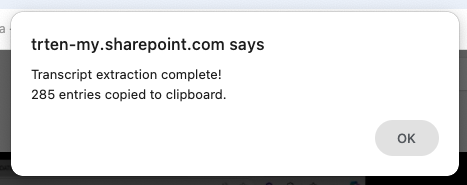
8. Paste your transcript into your favorite LLM and summarize away!