# Logseq HTTP API

LogSeq provides a HTTP API for developing plugins. The documentation is not particularly intuitive to get used to.

### Enabling the API

<details id="bkmrk-1.-turn-on-dev-mode-"><summary>1. Turn on Dev Mode + API</summary>

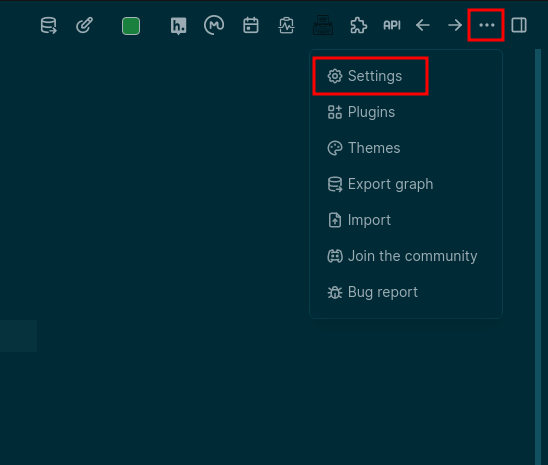
You need to turn on developer mode within Logseq via the settings menu:

<div>[![image.png](https://wiki.jamesravey.me/uploads/images/gallery/2023-10/scaled-1680-/image.png)](https://wiki.jamesravey.me/uploads/images/gallery/2023-10/image.png)</div>Go into the advance settings and enable developer mode

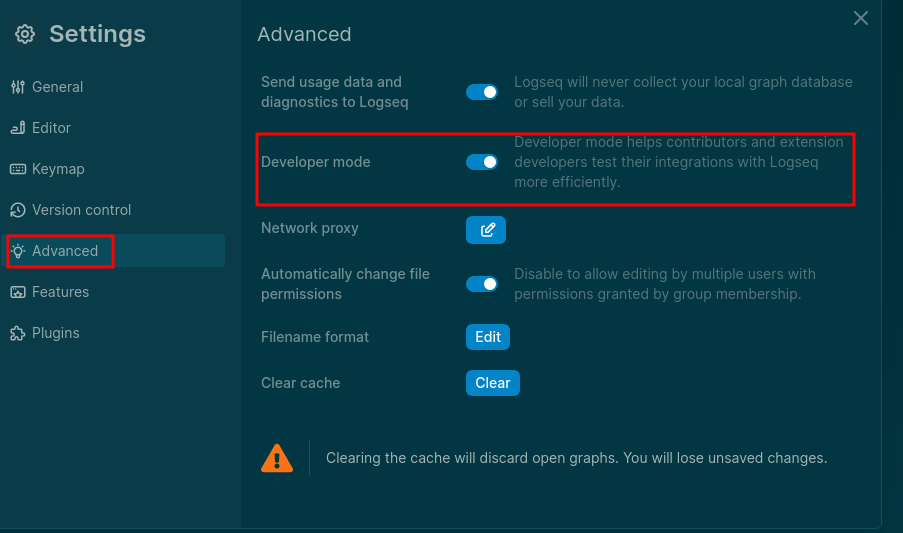
[![image.png](https://wiki.jamesravey.me/uploads/images/gallery/2023-10/scaled-1680-/MgEimage.png)](https://wiki.jamesravey.me/uploads/images/gallery/2023-10/MgEimage.png)
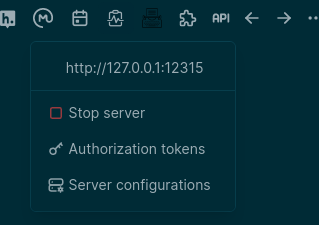
Then when the app restarts you should be able to enable the API

[![image.png](https://wiki.jamesravey.me/uploads/images/gallery/2023-10/scaled-1680-/Emximage.png)](https://wiki.jamesravey.me/uploads/images/gallery/2023-10/Emximage.png)
</details><details id="bkmrk-2.-add-a-token-by-de"><summary>2. Add a Token</summary>

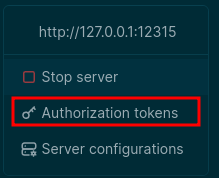
by default no token is provided so you won't be able to call the api. Open the manage tokens dialog and create a new token:

[![image.png](https://wiki.jamesravey.me/uploads/images/gallery/2023-10/scaled-1680-/AXOimage.png)](https://wiki.jamesravey.me/uploads/images/gallery/2023-10/AXOimage.png)
[![image.png](https://wiki.jamesravey.me/uploads/images/gallery/2023-10/scaled-1680-/A1Uimage.png)](https://wiki.jamesravey.me/uploads/images/gallery/2023-10/A1Uimage.png)
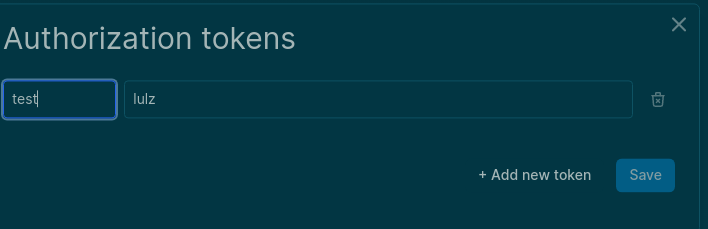
You will now be able to make HTTP requests to the given URL and PORT using `Authorization: Bearer lulz` or whatever value you chose.

</details>### Using the API  


If you open your browser and head to [http://127.0.0.1:12315/](http://127.0.0.1:12315/) you will be advised that you can POST to [http://127.0.0.1:12315/api](http://127.0.0.1:12315/api) with a JSON payload and you can specify which method to call and what arguments to pass. You can use the[ Logseq Plugin Docs](https://plugins-doc.logseq.com/) to find a list of methods that can be used.

For example if I have a page called `Logseq` I could use the following payload along with an `Authorization: Bearer <token>` header to get the page's markdown block content:

```
{
  "method":"logseq.Editor.getPageBlocksTree",
  "args":[
    "Logseq"
  ]
}
```

You can pretty much use any of the methods listed on the plugin doc page with this method - you'll need to check the required arguments in the documentation and make sure that you pass the correct args.