
OpenCode
OpenCode is a tool for AI driven development. It allows you to set up a web-ui or a TUI and talk to an agent. You can also review outputs and directly run bash commands.
OpenCode with LiteLLM
LiteLLM provides a way to connect your environment to multiple different models and model providers without giving OpenCode a bunch of different api keys. You can also closely track OpenCode-specific spending from one admin portal.
Configure LiteLLM
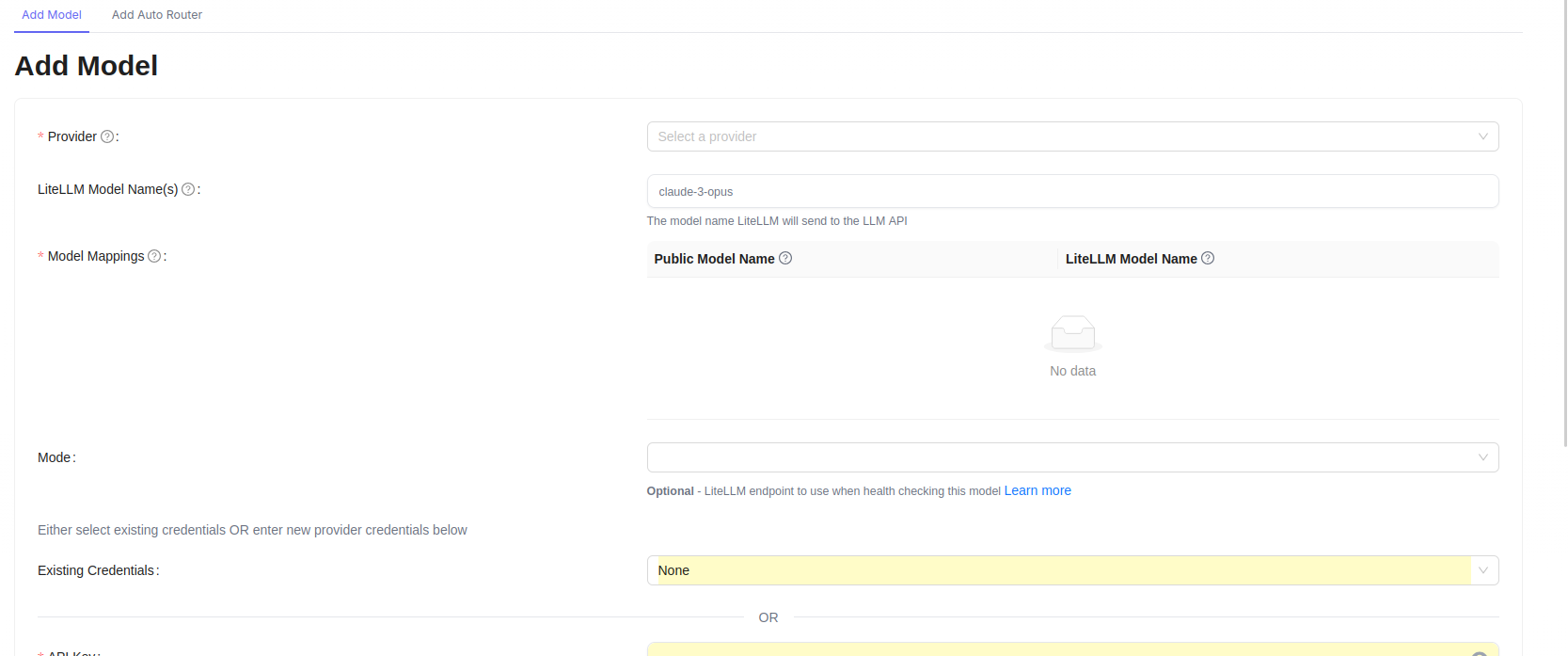
Firstly, add any models that you want to interact with, this might be via openrouter, OpenAI, Anthropic or local models. You'll want to keep track of the Public Model Name as that will be the name we pass on to OpenCode.
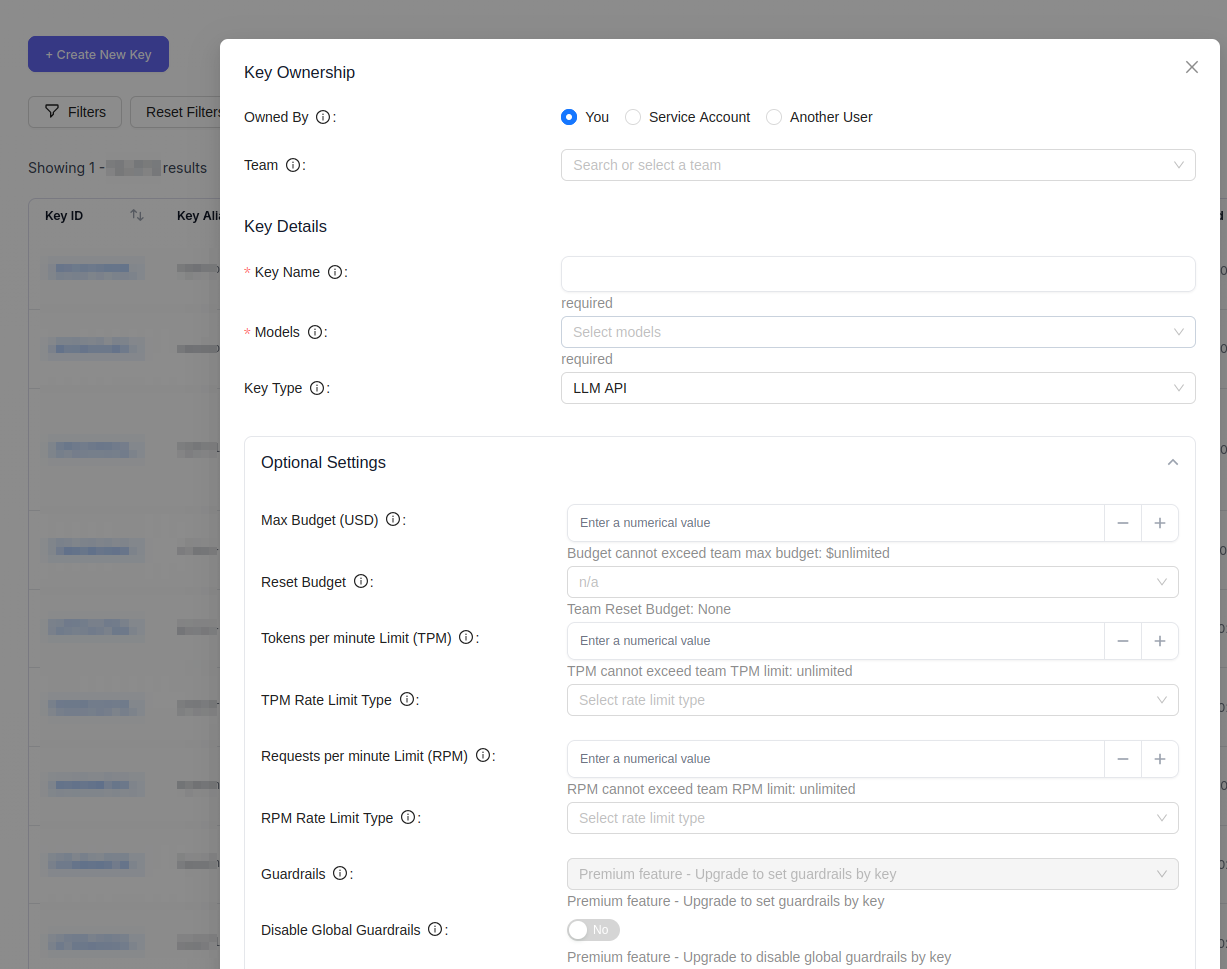
We'll add a new virtual API key so that we can provide this to OpenCode and track spending. You might also want to set a max budget which resets after N days.
Configure OpenCode
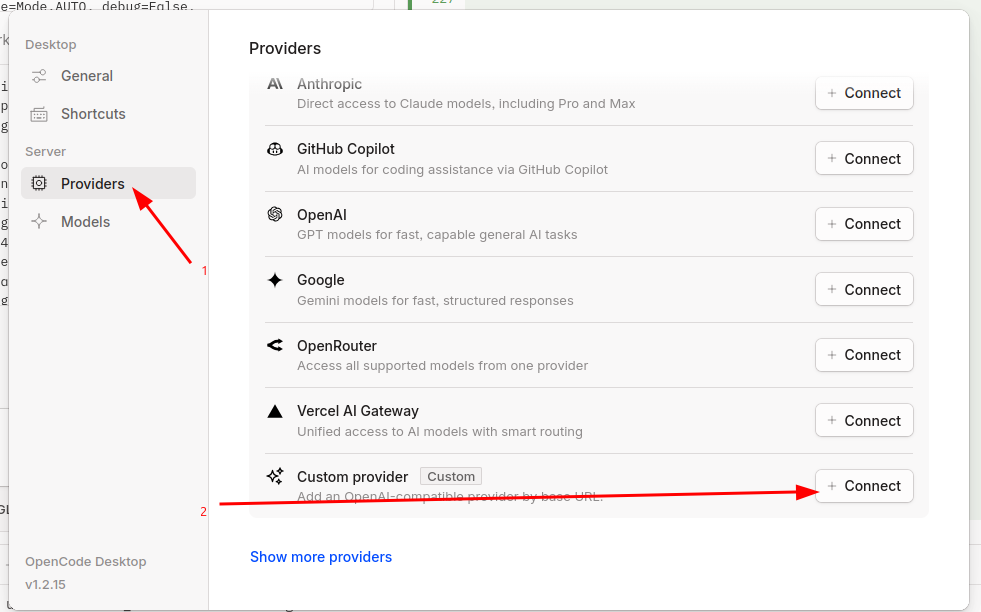
Open the settings panel in the web UI and select "Providers" and click "Connect" next to custom provider.
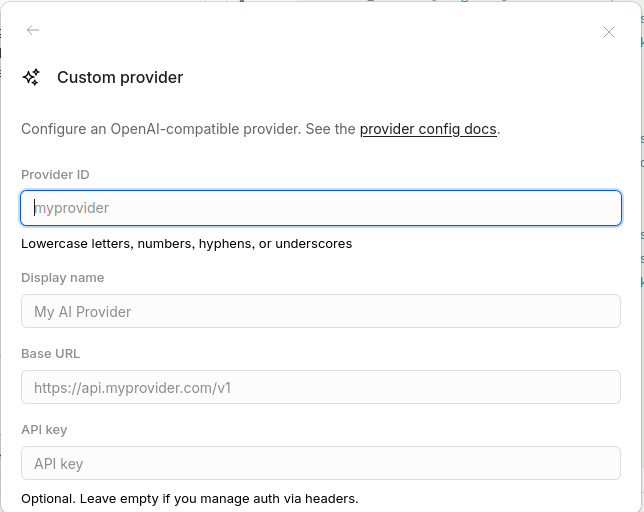
Fill out the information from Litellm including the API base (remember to append /v1) and the API key you generated
No comments to display
No comments to display